KnowledgeCity

Publisher 2007 Introduction

Discover the fundamentals of this desktop publishing software application, used to design all kinds of documents for publishing, marketing, and…

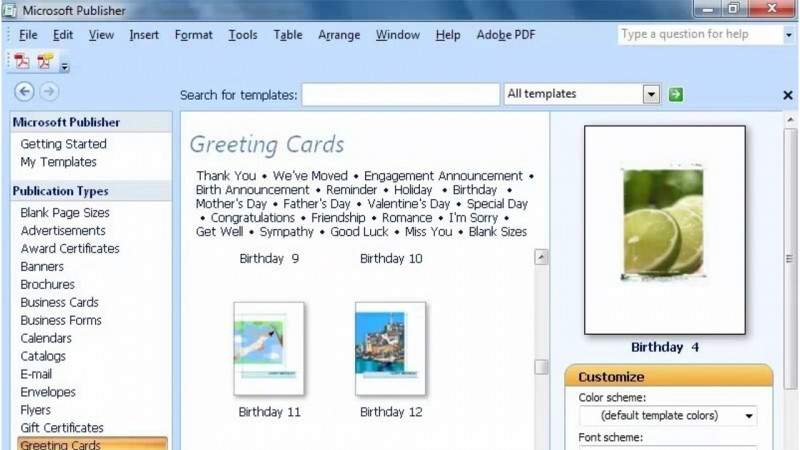
Discover the fundamentals of this desktop publishing software application, used to design all kinds of documents for publishing, marketing, and advertising. Learn the basics of the most commonly used Publisher menus and functions. Work with text and graphics in a typical Publisher publication and learn how to create letterhead, flyers, and business cards.

Author: ديبورا سايبل ثورنبرو

Duration: 3h 40m · 59 lessons
Language: English

Skills you’ll gain

Adobe Digital Publishing SuiteDesktop PublishingDigital PublishingMicrosoft PublisherPublication DesignWeb Publishing

What You'll Learn

  • Navigate the most commonly used Publisher 2007 menus and functions, including the Menu Bar, Standard Toolbar, and Formatting Toolbar
  • Decide when to choose Word versus Publisher for a document
  • Work with text using text boxes, templates, tabs, drop caps, and the spell checker
  • Add and arrange graphics using clip art, AutoShapes, picture frames, and the Design Gallery
  • Use the Task Pane, layout and ruler guides, backgrounds, and Help
  • Create publications such as letterhead, flyers, and business cards

Key Takeaways

  • Microsoft Publisher 2007 is a desktop publishing software application used to design documents for publishing, marketing, and advertising.
  • The course teaches the basics of the most commonly used Publisher menus and functions.
  • Learners work with both text and graphics in a typical Publisher publication.
  • The course covers how to create letterhead, flyers, and business cards.
  • The course addresses how to decide when to use Word versus when to use Publisher.

Frequently Asked Questions

What is this course about?

It covers the fundamentals of Microsoft Publisher 2007, a desktop publishing software application used to design documents for publishing, marketing, and advertising, including its most commonly used menus and functions.

What kinds of documents will I learn to create?

You will learn how to create letterhead, flyers, and business cards, working with text and graphics in a typical Publisher publication.

Does the course explain when to use Publisher versus Word?

Yes. It includes guidance on how to decide between the two, with lessons on when to choose Word and when to choose Publisher.

What text and graphics features are covered?

Text topics include text boxes, templates, tabs, drop caps, and the spell checker, while graphics topics include clip art, the Design Gallery, the Arrange menu, AutoShapes, and picture frames.

What skills does this course build?

It builds skills in desktop publishing, digital publishing, publication design, web publishing, and Microsoft Publisher.
Transcript

Show transcript (free preview lesson)

Transcript of the free preview lesson. Remaining lessons unlock with the full course.

Hi and welcome to Knowledge City's Beginning Microsoft Publisher 2007 course. My name is Deborah and I'm your instructor. Publisher is a desktop publishing software application for designing and creating the kinds of documents used in publishing, marketing and advertising. This course is designed for people who have never used Microsoft Publisher before, but who feel comfortable using a PC with Windows as the operating system software. In this video-centric series of lessons, you're going to learn the basics of how to maneuver around the most commonly used Publisher menus and functions. You'll also learn how to work with text and graphics in a typical Publisher publication and how to create letterhead, flyers and business cards.

Learn on the Go

Take your learning anywhere — the KnowledgeCity mobile app lets you watch lessons on the go.