Acquire the skills to effectively use Microsoft Excel 2007. Gain experience with Excel's tools by creating spreadsheets and formulas, practicing data entry, formatting data, and more.
Skills you’ll gain
Microsoft ExcelSpreadsheetsExcel FormulasExcel MacrosExcel ServicesMicrosoft Office Specialist (MOS) - ExcelWhat You'll Learn
- Navigate the Excel 2007 interface and work within worksheets
- Create spreadsheets with data entry, formatting, and cell ranges
- Build formulas using math features and statistical functions
- Copy and move information across cells and worksheets
- Chart data and manage data within worksheets
- Print worksheets and formulas, and create macros
Key Takeaways
- The course teaches how to effectively use Microsoft Excel 2007 through hands-on practice with its tools.
- Learners gain experience creating spreadsheets and formulas, entering data, and formatting data.
- The course covers core spreadsheet skills including the worksheet, saving files, formatting cells, and cell ranges.
- It progresses to math features, statistical functions, charting data, managing data, and macros.
- Skills developed include Microsoft Excel, spreadsheets, Excel formulas, Excel macros, Excel services, and preparation aligned with Microsoft Office Specialist (MOS) - Excel.
Frequently Asked Questions
What does this course cover?
It covers using Microsoft Excel 2007, including the Excel interface, worksheets, saving files, formatting cells, cell ranges, copying and moving information, math features, statistical functions, printing worksheets and formulas, charting data, managing data, and macros.
What skills will I gain from this course?
You will gain skills in Microsoft Excel, spreadsheets, Excel formulas, Excel macros, and Excel services, with content aligned to the Microsoft Office Specialist (MOS) - Excel.
Is this course suitable for beginners?
Yes, this is an introduction to Microsoft Excel 2007 that helps you acquire the skills to effectively use the program, starting with the Excel interface and basics like data entry and formatting.
What practical experience will I get?
You will gain experience with Excel's tools by creating spreadsheets and formulas, practicing data entry, formatting data, and more.
Transcript
Show transcript (free preview lesson)
Transcript of the free preview lesson. Remaining lessons unlock with the full course.
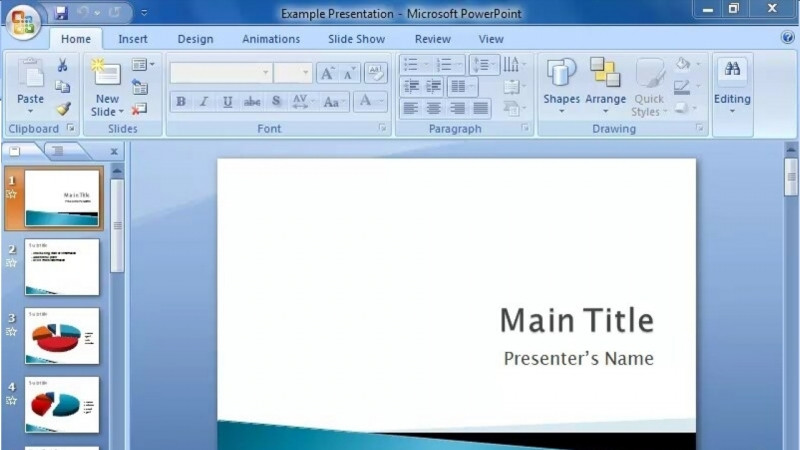
Hi, welcome to Introduction to Excel. My name is Jane and I will be introducing you to Microsoft's Electronic Spreadsheet Program, Excel 2007. Excel is used to enter, analyze, and present data. The appeal of Excel is its versatility. There are many applications you can use Excel for. For instance, you can create budgets, analyze data, such as survey results, and perform just about any type of financial analysis. Excel is also a great tool for creating charts, organizing lists, and of course accessing data from other programs. You can create professional looking graphics and diagrams in Excel as well. So let's get started. Make sure that you have access to Excel 2007, and we're going to go over the screen. Now I'm going to be using my pointer to point you to the different objects or elements on the screen, starting right at the top with the title bar. If you'll notice it says Book 1, Microsoft Excel. The title bar is there to let you know, first of all, what program you're in and what the work area that you're working in is referred to as. Now this is not that important right now, the Book 1 reference. However, it will be important later when you save your workbook. The file name will appear up there. On the right hand side of the title bar are your minimize, your restore, and your closed buttons.
Learn on the Go
Take your learning anywhere — the KnowledgeCity mobile app lets you watch lessons on the go.