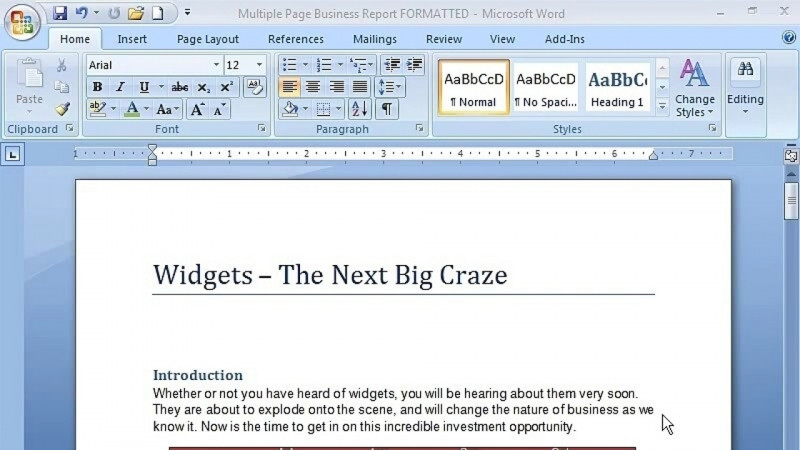
Let us introduce you to the 2007 version of Microsoft Word. Discover the new interface, navigate the toolbar, and learn how to create, edit, and format professional documents. This course also includes shortcuts that will make your work easier.
Skills you’ll gain
Microsoft OfficeMicrosoft WordWord ProcessingDocument FormattingDocument PreparationsMicrosoft Office SpecialistWhat You'll Learn
- Navigate the new Microsoft Word 2007 interface and toolbar
- Create, save, close, open, and rename documents
- Edit text using Backspace, Delete, Insert, and navigation commands like Home, End, Page Up, and Page Down
- Format documents by adjusting type size, fonts, and font colors
- Work with the Home, Insert, Page Layout, References, Mailings, Review, View, and Add-Ins ribbons
- Move, copy, cut, and paste text and use shortcuts to speed up your work
Key Takeaways
- The course introduces the 2007 version of Microsoft Word, including its new interface and toolbar.
- It covers creating, editing, and formatting professional documents.
- Lessons walk through each ribbon, the Office Button, the Quick Access Toolbar, the Status Bar, and shortcut and mini toolbars.
- The course teaches keyboard commands such as Tab, Space Bar, Shift, Caps Lock, and Number Lock, along with editing commands.
- It includes shortcuts designed to make document work easier.
Frequently Asked Questions
What does this course cover?
It introduces the 2007 version of Microsoft Word, including the new interface, navigating the toolbar, and how to create, edit, and format professional documents. It also includes shortcuts that make your work easier.
Which Word ribbons are covered?
The course covers the Home, Insert, Page Layout, References, Mailings, Review, View, and Add-Ins ribbons.
What document skills will I gain?
You will learn to create, save, close, open, rename, and edit documents, as well as move, copy, cut, and paste text and format type size, fonts, and font colors.
What skills are associated with this course?
The course is associated with Microsoft Office, Microsoft Word, Word Processing, Document Formatting, Document Preparations, and Microsoft Office Specialist skills.
Does the course teach keyboard shortcuts and commands?
Yes. It covers creating shortcuts and commands such as Backspace, Delete, Insert, Home, End, Page Up, Page Down, Tab, Space Bar, Shift, Caps Lock, and Number Lock.
Transcript
Show transcript (free preview lesson)
Transcript of the free preview lesson. Remaining lessons unlock with the full course.
Hi, and welcome to the Beginning Word 2007 course from Knowledge City. My name is Deborah Sable Thorne Brew, and I'm going to be your instructor for this course. And we're going to learn the basics of how to use Word and all the different tools and features that most people use, the most commonly used things. So we're about to get started.
Learn on the Go
Take your learning anywhere — the KnowledgeCity mobile app lets you watch lessons on the go.