KnowledgeCity

Excel 2007 Advanced

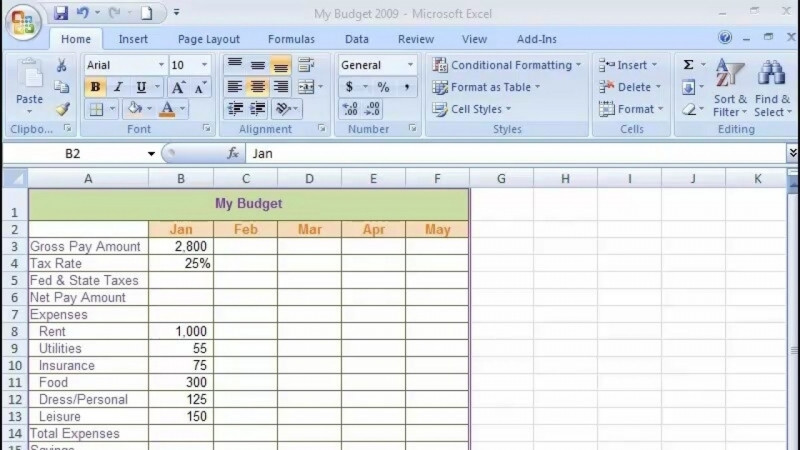
Put Microsoft Excel's more advanced features and functions under your fingertips.

Put Microsoft Excel's more advanced features and functions under your fingertips. Learn to make your work easier with 'if statements,' cost extensions, amortization tables, and much more.

Author: جين هيرك

Duration: 4h 5m · 25 lessons
Language: English

Skills you’ll gain

Microsoft ExcelAdvanced Business LanguageExcel FormulasExcel ServicesMicrosoft Office AccountingMicrosoft Office Specialist (MOS) - Excel

What You'll Learn

  • Build and use 'if statements,' cost extensions, and amortization tables in Excel
  • Create and analyze data with PivotTables and data tables
  • Import external data from Access and text files, and create queries
  • Apply VLOOKUP, name ranges, conditional formatting, and concatenation strings
  • Record, write, debug, and save macros using VBA and Visual Basic commands
  • Link worksheets and workbooks and work with large worksheets, subtotals, and templates

Key Takeaways

  • The course covers Microsoft Excel's more advanced features and functions, including 'if statements,' cost extensions, and amortization tables.
  • Learners work with data tables, PivotTables, hyperlinks, and importing external data from sources such as Access and text files.
  • The course teaches macro skills including recording macros, VBA code, Visual Basic commands, the Case command, debugging techniques, and saving macros.
  • Topics include linking worksheets and workbooks, VLOOKUP, name ranges, conditional formatting, concatenation strings, and creating queries.
  • The course also addresses templates, working with large worksheets, and subtotals.

Frequently Asked Questions

What does this Excel 2007 Advanced course cover?

It covers Microsoft Excel's more advanced features and functions, including 'if statements,' cost extensions, and amortization tables, along with data tables, PivotTables, hyperlinks, importing external data, creating queries, linking worksheets and workbooks, VLOOKUP and name ranges, conditional formatting, macros and VBA, templates, large worksheets, and subtotals.

Will I learn to work with macros and VBA in this course?

Yes. The course includes working with macros, debugging techniques, VBA code, Visual Basic commands, recording macros, macro codes and commands, the Case command, and debugging and saving your macros.

Can I learn to import data from other sources in this course?

Yes. The course teaches importing external data, importing external data from Access, importing a text file, and creating queries.

What skills does this course help build?

It helps build skills in Microsoft Excel, advanced business language, Excel formulas, Excel Services, Microsoft Office Accounting, and Microsoft Office Specialist (MOS) - Excel.
Transcript

Show transcript (free preview lesson)

Transcript of the free preview lesson. Remaining lessons unlock with the full course.

Hi, and welcome to Advanced Excel. During this course, you'll be learning about some of the more sophisticated features of Excel, including what if analysis using data tables, what if analysis using pivot tables, hyperlinks, importing external data from text files and perhaps even an access database, creating queries, linking your worksheets and workbooks together, and finally working with the macro editor.

Learn on the Go

Take your learning anywhere — the KnowledgeCity mobile app lets you watch lessons on the go.