Course Description
Every company has a customer or client base, suppliers of services and products, and individuals to produce or create the services or products. Accounting software is designed to adequately differentiate between the three. Adding customers, vendors, and employees to an accounting file allows the user to run reports, create analyses, and maximize efficiencies. Users may also embed internal controls within its software to identify and rectify duplicates.
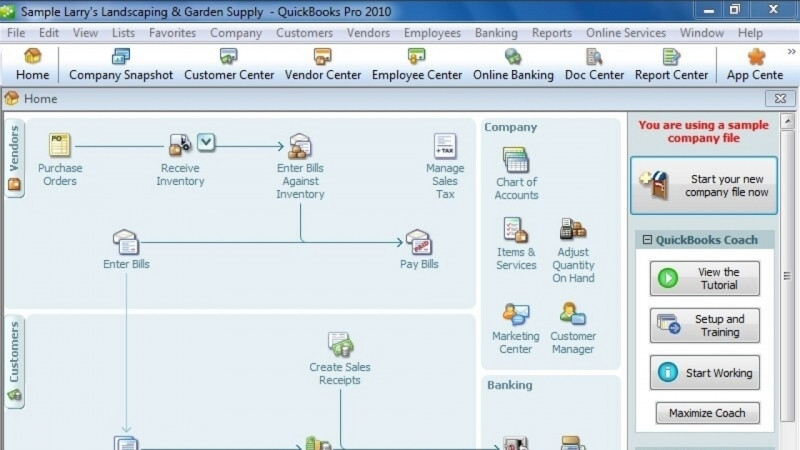
A company’s accounting records can be categorized into workflows by the people affected by the transactions or the types of activity the transactions represent. The QuickBooks Desktop Pro home page workflows are divided into sections based on the people affected. Those three sections are labeled Vendors, Customers, and Employees. In this module, the user will learn how to add each to their company file. The user will also be able to identify duplicates and determine when duplicates are valid and should remain in their company’s file.
What You'll Learn
- Add customers, vendors, and employees to a QuickBooks Pro 2022 company file
- Merge vendors and identify duplicate entries within the company file
- Determine when duplicates are valid and should remain in the file
- Understand QuickBooks functions and how transactions are recorded
- Organize accounting records into the Vendors, Customers, and Employees home page workflows
Key Takeaways
- Accounting software is designed to differentiate between a company's customers, suppliers (vendors), and employees.
- Adding customers, vendors, and employees to an accounting file allows users to run reports, create analyses, and maximize efficiencies.
- Users can embed internal controls within the software to identify and rectify duplicates.
- The QuickBooks Desktop Pro home page divides workflows into three sections based on the people affected: Vendors, Customers, and Employees.
- Some duplicate entries can be valid and should remain in the company's file.
Frequently Asked Questions
What does this QuickBooks Pro 2022 beginner course cover?
This module teaches how to add customers, vendors, and employees to a QuickBooks company file. It covers the lessons Adding Customers, Adding and Merging Vendors, Adding Employees, and Valid Duplicates, and shows how to identify duplicates and determine when they are valid.
Who is this course for?
It is a beginner-level course for users learning to set up and work with the people-based workflows in QuickBooks Desktop Pro, where the home page is divided into Vendors, Customers, and Employees sections.
What skills will I gain from this course?
You will develop skills in assigning employees, business workflow analysis, using QuickBooks accounting software, and workflow management.
Why is it important to add customers, vendors, and employees correctly?
Adding each of these to an accounting file allows the user to run reports, create analyses, and maximize efficiencies, and lets users apply internal controls to identify and rectify duplicates.